
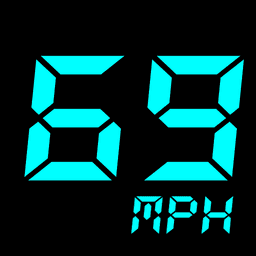
Screenshots
About GPS Speedometer: Speed Tracker
Track your speed with pinpoint GPS accuracy using GPS Speedometer: Speed Tracker, the lightweight app that replaces or supplements your vehicle's built-in speedometer. Whether you're driving a car, cycling on a bike, or managing a truck, get real-time speed readings, distance tracking, and comprehensive trip data in a single, streamlined application.
Real-time speed tracking is at the heart of this app. You'll receive instant GPS measurements with high accuracy, letting you monitor your velocity as it happens. The integrated odometer records every mile or kilometer you travel, making it perfect for tracking mileage on daily commutes, long road trips, or recreational rides. Speed alerts with customizable warnings keep you informed when you exceed set thresholds, helping you stay within safe limits.
The HUD display mode transforms your smartphone into a windshield-mounted speedometer. In night driving mode, the mirrored format reflects clearly on your windshield, giving you a hands-free way to check your speed without taking your eyes off the road. This floating window feature also lets you monitor speed while using other apps like navigation tools, so you're never without critical speed data during your journey.
Trip history logs save detailed statistics from every drive, ride, or commute. Review past routes, compare distances, and analyze travel patterns with optional data export capabilities. A built-in compass keeps you oriented at all times, while live weather integration shows current conditions so you can plan your route accordingly.
Efficiency is built in. GPS Speedometer: Speed Tracker operates completely offline—no internet connection required—making it reliable everywhere. The app supports multiple speed units including mph, km/h, m/s, and knots, adapting to your preferences or profession. Battery optimization ensures minimal power drain, so tracking your speed won't deplete your device.
Use this app to supplement an unreliable speedometer, test your bike's top speed, measure your running pace, track daily mileage, or manage fleet logistics. The clean, intuitive interface works for drivers, cyclists, runners, and professionals alike. Download GPS Speedometer: Speed Tracker today and take complete control of your speed and distance data.
Pros & Cons
Pros
- Real-time GPS speed tracking works completely offline without internet
- HUD windshield display with night mirror mode for hands-free driving
- Customizable speed alerts help you monitor safe driving thresholds
- Trip history logs and data export let you review past routes and patterns
Cons
- Constant GPS usage will noticeably drain your device battery over time
- Requires persistent location access, raising privacy considerations for tracking data
- Accuracy depends on GPS signal strength, which varies in tunnels and urban canyons
- No mention of cloud backup, so trip data is lost if you uninstall or lose your phone
Related Apps

HWiNFO
Hardware monitoring for Windows—track CPU temp, GPU load, fan speed, voltage in real time.

TransMac
Read Mac drives and DMG files on Windows. Access APFS/HFS+ storage and create disk images.

Advanced SystemCare Free
System optimization tool: clean, repair, and secure your PC. Remove malware, fix errors, and boost performance.

Display Driver Uninstaller (DDU)
Driver uninstaller for GPU and audio — removes residual files for clean Windows updates

Glary Utilities
PC maintenance and optimization suite — clean, repair, and speed up your Windows computer in one action.

Universal ADB Drivers
ADB drivers for Android: Connect any smartphone to Windows PC without manufacturer software.
Latest Articles

Best AI admin task automation apps for desktop in 2026 (we tested 7)
Jul 11, 2026

Best AI coding tutor apps for desktop in 2026 (we tested 7)
Jul 11, 2026

Best apps for the *arr media stack on desktop in 2026 (we tested 7)
Jul 11, 2026

Best classic Doom source port apps for desktop in 2026 (we tested 7)
Jul 11, 2026

Best FFXIV companion apps for desktop in 2026 (we tested 7)
Jul 11, 2026